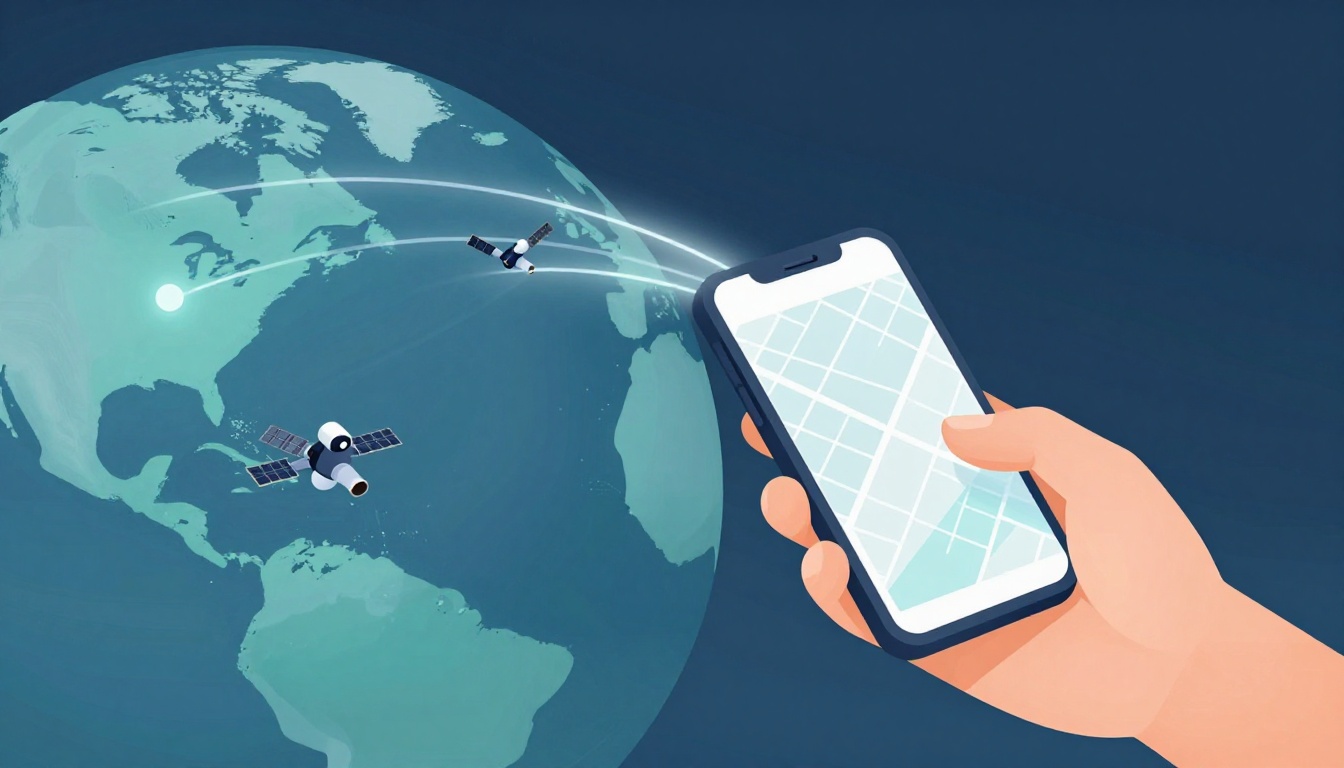
You’ve got two choices when you get lost on a road trip. You can guess, or you can tap your phone and follow GPS to the right turn. That same tech also helps you track deliveries, share rides, and map workouts in everyday life. So, how do GPS systems work? They listen to satellite signals, then calculate your location by measuring how long the signals took to reach you.
Here’s the part most people don’t notice, GPS systems work like a free, invisible network. Your phone or car receiver grabs time-stamped data from space (and often more than one satellite system), then uses math to turn that into directions you can trust. As GPS updates in 2026, it’s getting faster at locking onto signals, more accurate with added fixes, and better for things like safer driving and tighter shipment tracking.
Next, you’ll see the core tech behind how location math works, then how it shows up in real daily routines.
The Key Pieces That Make GPS Systems Run
GPS can feel like magic, but it runs on a few clear blocks of work. The satellites send signals that carry time and orbit data. Then ground systems keep those satellites on track. Finally, your receiver measures signal timing and computes your location.
At its core, GPS is like a set of lighthouses in space. Each lighthouse broadcasts its “when” and “where,” and your device figures out how far you are by timing the message.
Satellites: The Orbiting Signal Towers
GPS depends on a fleet of satellites circling Earth at medium altitude. Today, there are about 31 active GPS satellites in orbit, typically around 20,000 km up. You can think of them as moving radio towers, spaced so your receiver can “see” enough of them at once. The U.S. government also maintains availability targets tied to keeping at least 24 operational satellites online.
Each satellite carries an atomic clock, which keeps time with extreme precision. Because GPS relies on timing, small clock errors create big location errors. As a result, these clocks stay stable enough that the system can measure travel time accurately, often hitting civilian location accuracy around 7 meters.
The satellites constantly broadcast radio signals. Those broadcasts include key data your phone or car needs, plus the satellite’s position along its orbit. You can see how the space segment works in the GPS Space Segment overview on GPS.gov. Also, GPS must account for physics like relativity to keep timing tight, explained in GPS World’s breakdown of GPS and relativity.
Meanwhile, GPS is not alone anymore. In 2026, many consumer devices support multi-constellation GNSS, meaning they can use more than one satellite system. Common pairings include:
- GPS
- Galileo
- GLONASS
- BeiDou
With those networks working together, the total active satellites available can reach over 100 at once. That matters in cities, under trees, and near buildings, where signals can get blocked. More satellites also means your receiver has more measurements to compare, which improves stability.

Ground Stations and Smart Signals
Satellites do a lot of the work, but they still need guidance. Ground stations watch over the constellation, and they update what the satellites say. Think of this like a live scoreboard, where officials correct positions and timing so the game stays fair.
Ground systems use tracking antennas and radar-like monitoring to follow satellites as they move. They check the satellite’s health, monitor how its signals perform, and measure how the satellite’s orbit might drift. Then the control side uploads corrections and navigation data back to the satellites so the next broadcast stays accurate.
One reason this matters is that space is not perfectly still. Gravity variations, solar pressure, and tiny orbit changes can shift a satellite’s path. If you did not correct for that, your receiver would still compute a location, but it would slowly grow wrong.
Next, let’s talk about the signal itself. GPS transmissions use PRN codes (Pseudo-Random Noise codes), which act like unique fingerprints for each satellite. When your receiver picks up a signal, it aligns to that code to estimate arrival time.
From there, the timing becomes distance. GPS uses the basic idea:
- Your receiver measures how long the signal took to travel.
- It multiplies that time by the speed of light.
- It compares those distances against the known satellite positions.
That’s why timing has to be exact. To solve where you are in 3D space, you typically need at least four satellites. With four, your receiver can solve for latitude, longitude, and altitude, plus correct for clock differences inside the receiver.
If you want a clear picture of how this “control segment” supports the constellation, the GPS ground segment overview on Navipedia gives a solid view of tracking, analysis, and command flow.
Receivers: Turning Signals into Locations
Now the receiver does the heavy thinking. Whether it’s a smartphone, car unit, or a smartwatch, the receiver’s job stays the same: grab signals, estimate timing, then calculate position.
First, it measures the travel time of each satellite signal. In practice, the receiver does this as code phase alignment plus clock handling. Also, the receiver must correct for errors it cannot avoid, like small receiver clock offsets and signal delays through the atmosphere.
Why does the math help? Because the receiver does not just guess. It treats timing as ranges (how far the satellite is from you, roughly), then runs a geometry solution. Many receivers use methods that look like least squares fitting, which balances multiple measurements and reduces noise. In plain terms, it finds the location that best matches all the observed signal times.
Your device also has to deal with weak signals, especially indoors or near tall buildings. Still, modern receivers get good results because they track the PRN codes precisely and filter out noise.
Also, you do not always need a full set of satellites to get a usable fix. In everyday use, you might see 4 to 7 satellites contributing to the solution. More satellites usually means better stability, especially when some signals are partially blocked.
For a practical explanation of the ranging and geometry idea behind GNSS positioning, GNSS navigation explained with trilateration is a helpful reference point. It reinforces the same core idea: the receiver turns arrival timing into distance estimates, then solves the geometry to find where you are.
In the end, GPS works like a fast-moving group chat between satellites and your device. Satellites broadcast time and orbit. Ground control keeps those broadcasts reliable. Your receiver listens, measures, corrects, and calculates.
Step by Step: How GPS Pins Down Your Spot on Earth
GPS does not “see” where you are. Instead, it measures distances from satellites and turns those distances into a 3D location. Think of it like pinning your position with a set of growing ripples, each ripple saying, “You’re about this far from me.”
Unlocking Trilateration: The Location Math Trick
Trilateration is the core idea behind how GPS finds your spot. The trick is simple in spirit, even if the receiver does the hard work fast. It uses distances, not angles, to lock onto latitude, longitude, and altitude. And yes, more satellites usually means a steadier fix.
Start with one satellite. As soon as your receiver catches its signal, it estimates how long the message took to arrive. That time converts into a distance. Now imagine that satellite is the center of a giant sphere, expanding outward until it matches that distance. You are somewhere on that sphere, but you’re not yet pinned down.
Next, add a second satellite. Your receiver does the same timing and turns it into a second distance sphere. Where do two spheres meet? They slice into a circle. So now you know you’re on a ring-shaped path, not an entire planet.
Then bring in a third satellite. Three spheres will intersect in a way that leaves two possible points in space. It’s like meeting two ropes in midair, ending up with two “almost there” spots. The receiver also tracks the fourth satellite (and includes timing details), which removes the wrong option.
With four satellites, you get the exact 3D spot. That fourth distance sphere completes the job by fitting the best matching intersection, and your receiver also resolves the timing mismatch caused by small clock drift inside the receiver.
Here’s a visual way to imagine it: overlapping spheres crisscross like a set of translucent bubbles. The center where they agree is your location.

For a straightforward walkthrough of the same concept, see GPS.gov’s trilateration explanation. The big takeaway is consistent: GPS solves by intersecting ranges, like the true distance from each satellite, not by triangulating with angles.
What Can Throw Off GPS Accuracy and How It’s Fixed
Even when GPS math is solid, real signals still travel through a messy world. Your receiver can do everything right, and you can still see jumps in accuracy because the signals get delayed, blocked, or slightly mis-modeled.
Common issues start with the atmosphere. As signals pass through the ionosphere and troposphere, they can slow down or bend a little. That changes the “distance” your receiver calculates, so the spheres shift. Meanwhile, any small timing or orbit error matters because timing turns straight into range.
Urban areas make things worse through signal blocks. Tall buildings create “urban canyons,” where the receiver can’t hear a satellite clearly. In other words, the receiver may get fewer usable measurements, or it may hear multipath reflections (signals bouncing off walls).
Satellite and system errors also sneak in. Satellites broadcast precise navigation data, but errors in orbit and clock models still happen. The receiver tries to filter noise, yet those imperfections can show up as drift, especially during the first seconds after you start navigation.
Here’s a quick look at what tends to go wrong and what helps:
| Accuracy factor | What it does to your fix | Typical symptoms | How GPS helps |
|---|---|---|---|
| Ionosphere/troposphere delays | Skews signal travel time | Position shifts, worse indoors | Models and dual-frequency processing |
| Clock and orbit errors | Offsets range estimates | Slow drift, inconsistent fixes | Ground tracking, updated nav data |
| Signal blocks (buildings, trees) | Fewer satellites, weaker signals | “No GPS,” jumping maps | Multi-constellation support and more satellites |
| Receiver quality | Tracking noise and filtering limits | Extra jitter, slow lock | Better correlators and better filters |

Now for the fixes. A major one is dual-frequency reception (often described as L1 and L5). Using two bands gives your receiver extra information about how much the ionosphere is bending the signal. That reduces one of the biggest distance errors, and field results often show large improvements. For a deeper look at dual-frequency correction for ionospheric effects, see dual-frequency positioning for ionospheric correction.
Next, receivers combine more constellations. Instead of relying on only GPS satellites, many phones and cars also use Galileo, GLONASS, and BeiDou. More satellites usually means your receiver can still build a stable solution even when one system gets blocked.
Ground stations help too. They keep updating what satellites broadcast, correcting orbit and clock behavior. On top of that, modern correction services (like SBAS) can nudge the navigation solution closer to the truth.
So imagine this: you’re driving downtown. At first, GPS accuracy wiggles because reflections and blockages interfere. Then the receiver grabs more signals, uses the second frequency to reduce atmospheric error, and your map steadies.
Real-Life Ways GPS Powers Your Daily Routine
GPS does more than show a dot on a map. It turns your location into useful, timed actions, so your day feels smoother and safer. In 2026, that power shows up everywhere, from your next turn to help when seconds matter.
Navigating Roads, Rides, and Deliveries Effortlessly
Most days, you rely on GPS without thinking about it. You open a navigation app, pick a destination, and it starts building a route in real time. Then it adjusts as traffic changes, lanes narrow, and construction pops up. If you’ve ever rerouted around a jam and arrived faster, you already felt GPS doing its job.
Ride-sharing apps use GPS in a similar way, but with a twist. The service needs two moving locations at once, yours and the driver’s. As a result, pickup time stays more accurate, and the app can guide you to the right curb when the street is busy.
Delivery services also depend on location timing. Whether you’re expecting a package or watching a driver make stops, GPS helps estimate arrival windows and optimize the route.
Here’s how it usually feels in daily life:
- Navigation apps: Real-time turns, lane-aware guidance, and reroutes when traffic shifts.
- Ride-sharing pickups: Driver matching based on precise location, plus updated ETAs.
- Delivery tracking: Better stop ordering and clearer delivery arrival estimates.
- Last-mile routing: Finding the right entrance or side street, even in crowded areas.
In 2026, some navigation experiences get even more detailed. For example, Google Maps has been rolling out Immersive Navigation, which aims to help you make lane-level decisions with clearer road context.

Tracking Fitness, Farms, and Emergencies
GPS also powers the quiet parts of your routine, the ones you notice only when they go wrong. Fitness wearables use GPS to map routes, measure pace, and log distance. Instead of guessing your run length, you get a track you can compare day to day. Smartwatches also use GPS for geotagging, so you can remember where you trained.
On farms, GPS has a different job, but the same core promise: accuracy. Precision farming uses location data to measure yields across a field and help guide equipment. Auto-steer systems can keep tractors on the right line, which reduces overlap and skips between passes. That means less wasted fuel and better consistency across rows.
If you want a practical view of how GPS shows up in modern agriculture, GPS in Precision Farming (2026 guide) is a useful place to see real-world workflows.
Then there’s the most important use: emergency response. In the US, when you call 911, GPS location data can help dispatchers and responders find you faster, including when you’re in an unfamiliar spot or inside a dense urban area. Faster location sharing can turn “I’m not sure where I am” into a clear address-like coordinate.
Think of it like GPS acting as a steady “compass thread” through your day:
- Fitness tracking: Run routes, pacing trends, and distance logs.
- Agriculture mapping: Yield maps tied to specific field spots.
- Auto-steer guidance: Straight passes that keep work consistent.
- 911 location sharing: Faster findability when you need help now.
2026 Upgrades: Why GPS Is Smarter and More Reliable Than Ever
In 2026, GPS stops relying on “good enough” fixes. Instead, it gets more smart about the errors that used to cause drift, slow locks, and jumpy maps. You feel that change most when you enter busy cities, dense suburbs, and even indoors.
Dual Bands and Multiple Satellite Networks
Dual-frequency GPS is a big reason 2026 feels more stable. With signals like L1 and L2 (and in some modern setups L5), your receiver can measure how the ionosphere slows and bends radio waves. Because it sees that distortion on more than one band, it can cancel a lot of the timing error before it turns into a distance error. In other words, the math has more breadcrumbs to follow.
Here’s the practical payoff: instead of one “best guess” distance to each satellite, your phone checks consistency across bands. That extra check reduces the wobble you see when conditions change, like right after you turn onto a new street.
At the same time, multi-constellation GNSS improves reliability. Your device can pull signals from GPS, Galileo, GLONASS, and BeiDou. So even when one system is blocked by buildings or trees, others still offer measurements. More signals also means your receiver can average out noise and recover faster after signal loss.
To understand the ionosphere side in a clear, technical way, see ionospheric mitigation in long-baseline GNSS.

AI, 5G, and Indoor Magic
AI upgrades help GPS act less like a passive receiver and more like a careful editor. When signals get messy, AI-based filtering can separate “useful motion” from “measurement noise.” Then it can predict where you should be next, even while waiting for cleaner satellite tracks.
Next comes 5G fusion. In many urban areas, 5G towers and network data can help fill gaps when satellite signals struggle. Research on 5G NR robust tracking and positioning with GNSS assistance shows how combining these sources improves positioning when GNSS alone gets shaky.
Finally, indoor positioning gets real. WiFi and Bluetooth signals add a local reference, so your phone can refine location when satellites can’t reach you well. With the right setup, this pushes accuracy toward the 1 to 3 meter range in places that used to feel like black holes to navigation.
Put it together, and it feels like your phone isn’t “starting over” each time you enter a parking garage. Instead, it keeps a steady location trail, because the chip, the network, and the sensors all work in sync.
Conclusion
GPS works in everyday life because it measures signal timing from multiple satellites, then uses trilateration to turn those ranges into a steady location. Your phone and car do the math fast, while ground support and updated navigation data keep the signals trustworthy.
In 2026, multi-constellation GNSS and dual-frequency fixes make GPS more reliable when reception gets messy, like in cities or near buildings. As a result, navigation reroutes with less wobble, delivery tracking stays steadier, and indoor help gets better when satellite signals fade.
Next, watch how GPS keeps growing beyond maps. Self-driving cars will rely on it for lane-level awareness, and AR glasses will use it to anchor context to real places.
What’s your most useful GPS moment, the one you’d miss if it failed? Share it, then try a new GPS app or feature next time you head out.